
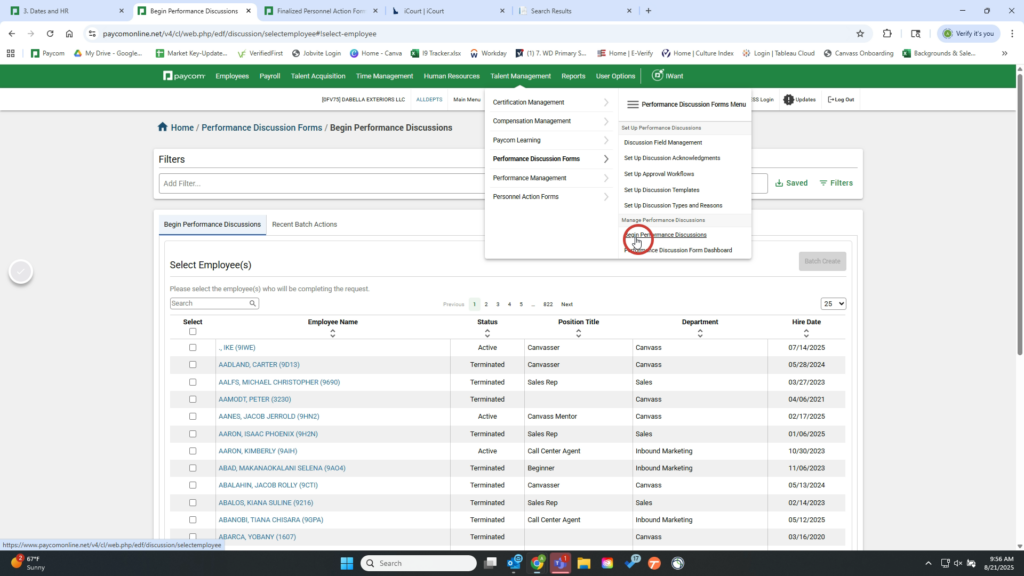
1. Navigate something something to Performance Discussion Forms and begin a discussion
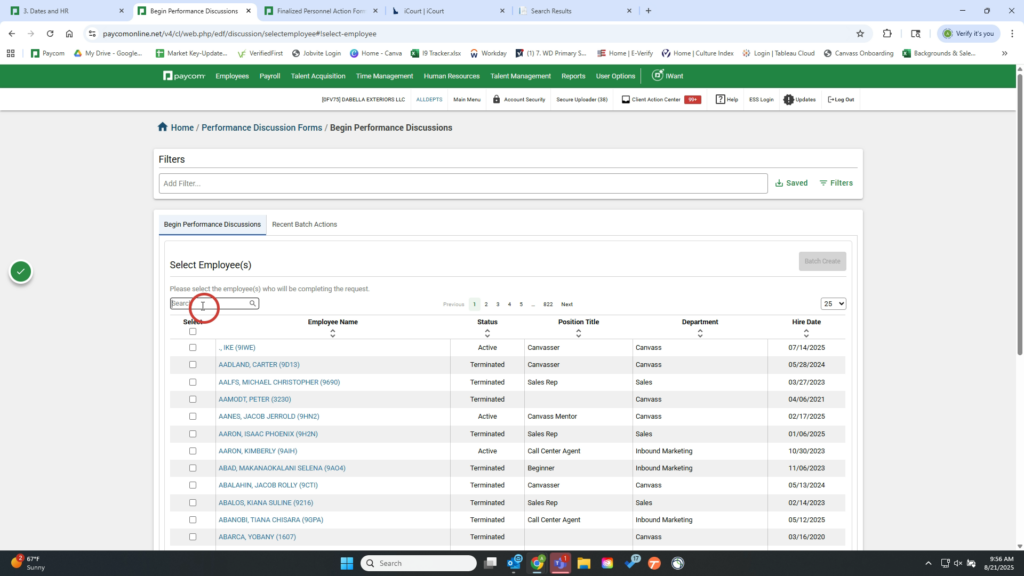
2. Search for the name of the employee
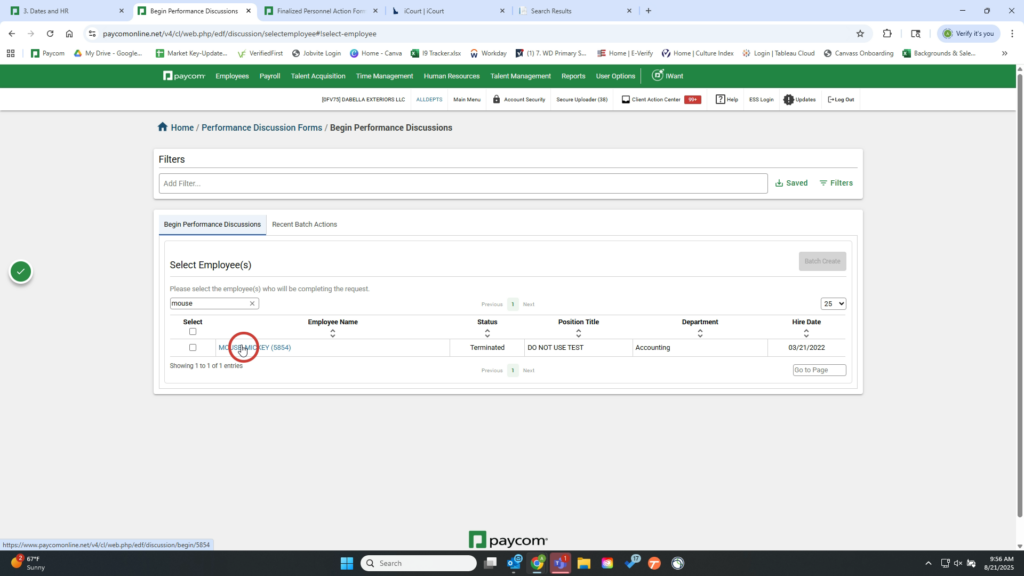
3. Click their name to begin the form
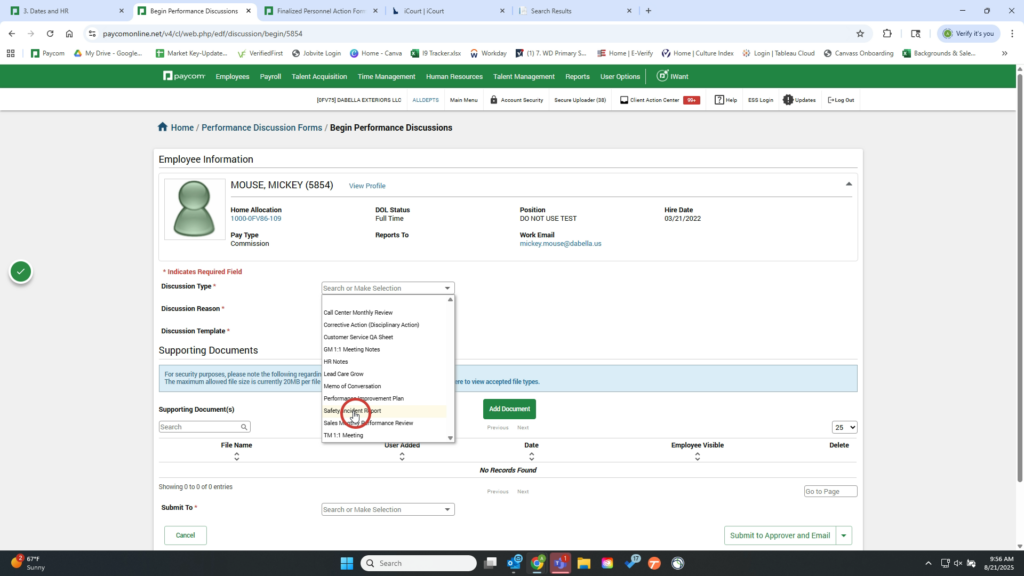
4. Select Discussion Type as Safety/Incident Report
5. Select the Discussion Reason based on the employee’s situation
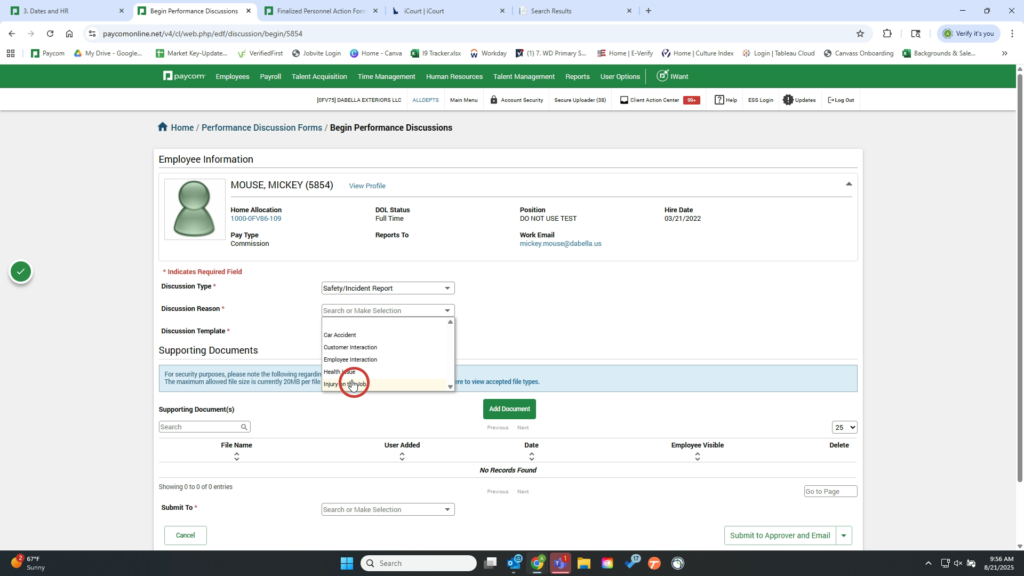
6. Select the Incident Report Template
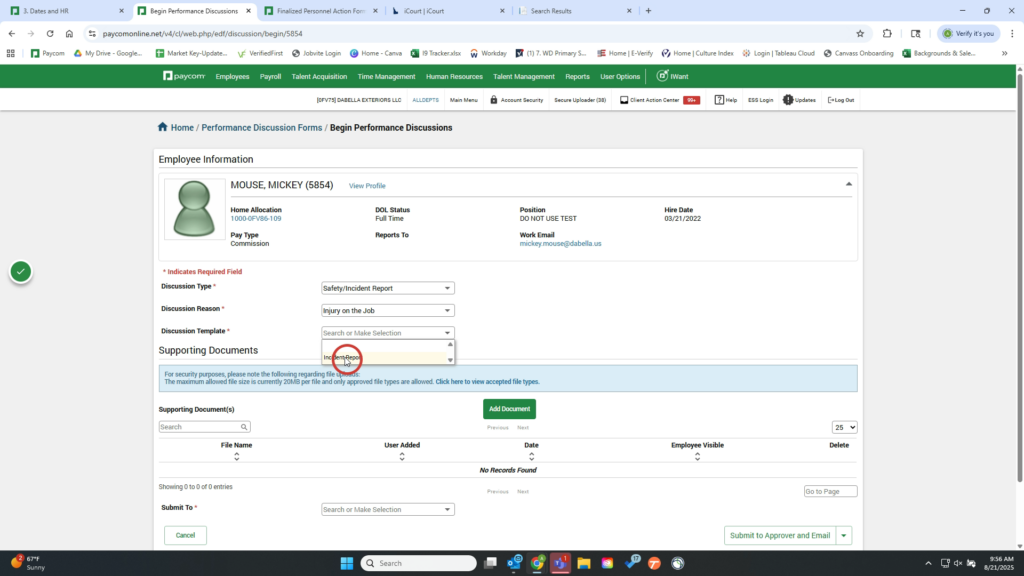
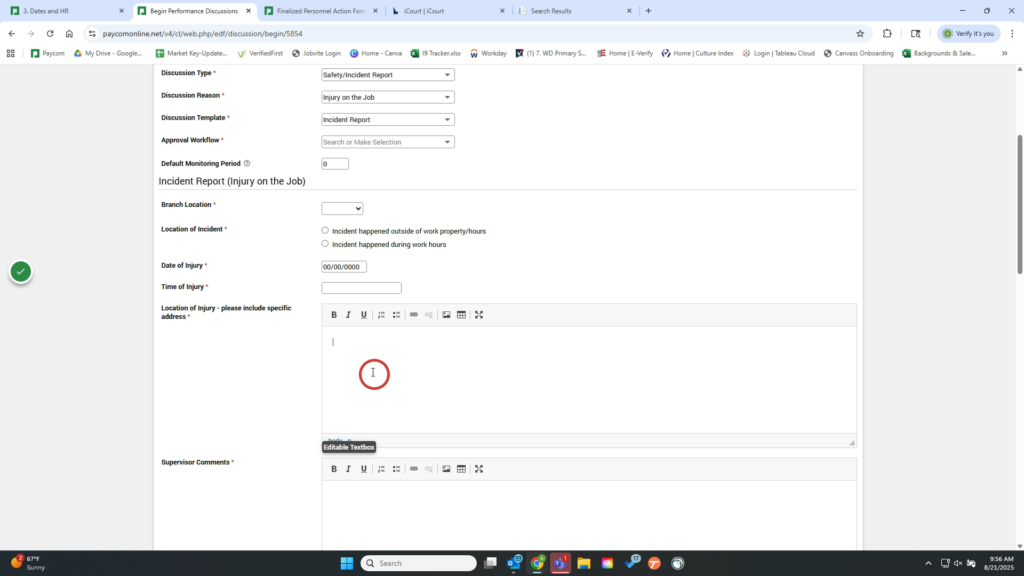
7. Fill out the remaining information on the form. Be as specific as possible including address/location, time it happened, specifics of the incident, witnesses, and actions you took.
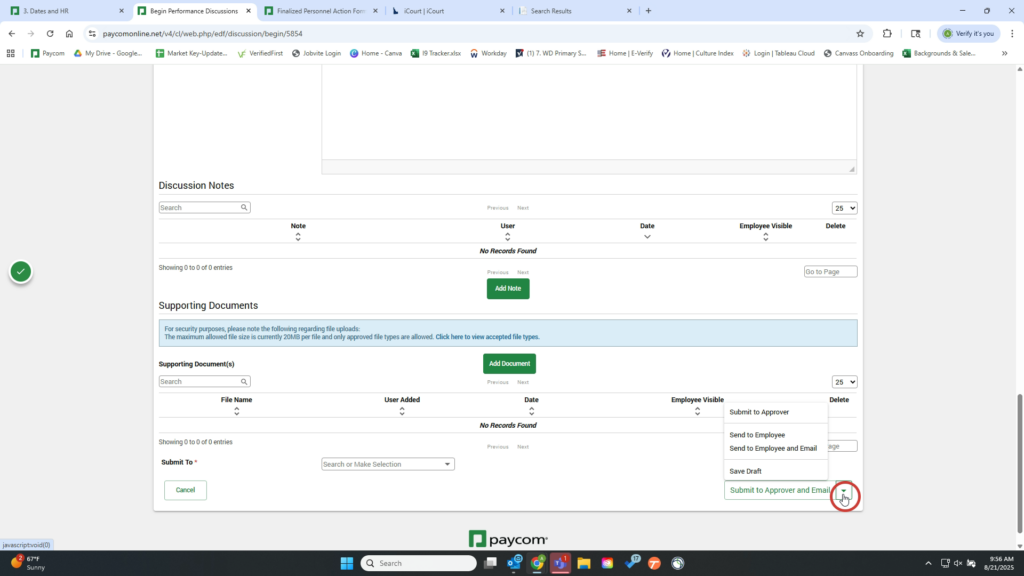
8. Click to submit to the next approver. Please let the employee know that this will fill out a section as well and ensure they have the Worker’s Compensation Information.
Well done!